MTAgent: The Complete Work & Finance App for Freelancers
A full tour of MTAgent, the app that brings freelance project management, time tracking, invoicing and finances into one place, from the dashboard and tasks to reports and personal budgeting.
 Milad Mostafaei
10 min read
Milad Mostafaei
10 min read
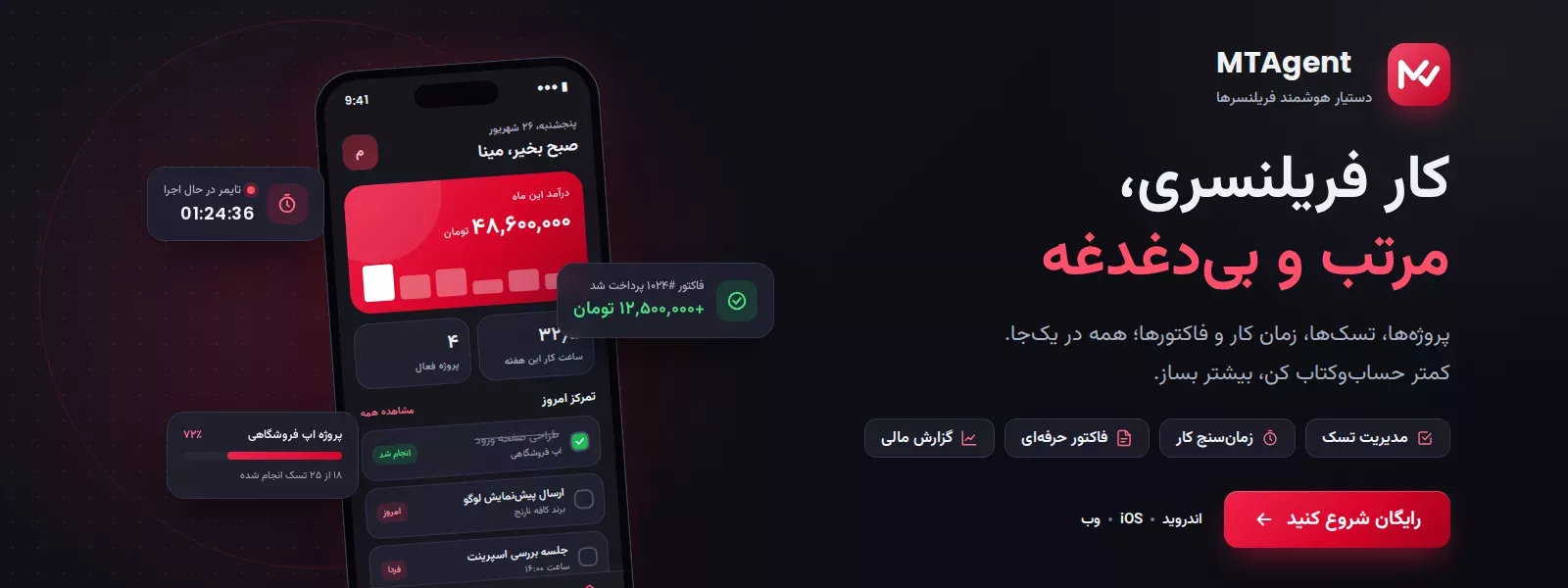
Table of contents
- What is MTAgent and who is it for?
- Dashboard: today's focus at a glance
- Freelance project management, the heart of MTAgent
- Delivery and payment milestones
- Scope changes, the end of free work
- Project dossier and templates
- Task management with layouts you choose
- Accurate time tracking
- Invoicing and freelance finance management
- Receivables and payment reminders
- Personal finance: your own income and spending
- Reports, clients, calendar and notes
- Cloud sync, offline work and security
- Free and Pro plans
- Language and availability
- Frequently asked questions about MTAgent
- Is MTAgent free?
- Does it work without internet?
- Can I issue professional invoices?
- Is my data secure?
- Conclusion
A dedicated freelancer work management app is no longer a luxury. If you juggle several projects, several clients and scattered spreadsheets at once, you need one place that holds everything together. MTAgent was built for exactly that: a complete app that brings your projects, tasks, time tracking, invoices and all of your freelance finances into a single, calm workspace, so you stop bouncing between notebooks, Excel files and chat threads. In this full guide we walk through every MTAgent feature, from the smallest detail to the biggest.
What is MTAgent and who is it for?
MTAgent is a smart assistant for freelancers and anyone who works project by project: developers, designers, translators, content creators, architects, consultants, and everyone whose income comes from contracts and deliverables. It is designed to be fully multilingual, with built-in support for English, Persian, French and Turkish, and it handles right-to-left layouts and a full Persian (Jalali) calendar natively. The goal is simple: help you look more professional, never forget money you are owed, and always know exactly how much you have worked and how much you have earned.
Dashboard: today's focus at a glance
The moment you open the app, the dashboard greets you and shows "today's focus": tasks due today, overdue work, active projects and unpaid receivables. Income this month, hours worked this week, upcoming deadlines and any timer currently running all sit at the top of the screen. A quick-add button lets you log a task, invoice or payment instantly without digging through menus. Every morning you know, in one glance, what matters most.
Freelance project management, the heart of MTAgent
In the projects area you track each job with its exact status: from negotiation and in-progress to in-review, delivered or cancelled. For every project you set the contract type: fixed price, hourly rate, or a monthly retainer for ongoing relationships. Most importantly, the "agreed scope" field is where you spell out precisely what is and is not part of the work. That one simple paragraph prevents most disputes and most unpaid extra work.
Delivery and payment milestones
You can break any project into milestones with set amounts. Staged delivery means staged payment and lower risk: as each milestone is delivered and approved, you record its payment as income, and the app checks that the milestones add up to the full contract value.
Scope changes, the end of free work
Extra requests from clients are a constant pain for freelancers. In MTAgent you log every out-of-scope request right where it belongs, price it with its extra cost and extra days, and hold off until it is agreed. No free work, no awkward arguments.
Project dossier and templates
For each project you can generate a full PDF "project dossier" that brings the scope, milestones, tasks, scope changes, time logs and financial status together into one professional sign-off document. And if you keep signing similar contracts, save a project's terms as a template so your next project is ready with a single tap.
Task management with layouts you choose
Tasks in MTAgent are more than a flat list. Each task carries a priority, status, due date, time estimate, checklist and file attachments, and can repeat daily, weekly or monthly. Better still, you shape the view to your taste: the task form has four layouts (from large labelled chips to a quick keyboard-top sheet), the task list has three (cards, a day agenda, and by-project), and the kanban board has three more. Drag cards to change status, and every task carries a one-tap timer button to start and stop work instantly.
Accurate time tracking
Time tracking is one of the strongest features of this app. Just start the timer on a project (and, if you want, a specific task); you can pause and resume it, add a note about what you did, and mark whether that time is billable. Forgot to start the timer? You can log time manually too. If a timer runs for more than four hours, the app reminds you. Those tracked hours later turn straight into invoices and reports.
Invoicing and freelance finance management
The finance section turns MTAgent from a simple work tracker into a serious business tool. Here you issue professional invoices with line items, quantities, unit prices, discounts and tax, and follow each one through its status: draft, sent, partially paid, paid or overdue. You record payments with their method (card transfer, bank transfer, cash or gateway) and categorise your business expenses, because income minus expenses is what you have truly earned.
Receivables and payment reminders
MTAgent works out who owes you, how much, and how many days past due they are. With one tap it drafts a polite reminder message you can send to the client on WhatsApp or Telegram. If an invoice is overpaid, you can move the surplus to another unpaid invoice, so the books always stay exact.
Personal finance: your own income and spending
Work and life are two separate ledgers, and MTAgent knows it. In the personal tab you keep your own income and spending apart from the business. Define recurring commitments like rent, loan instalments, bills and subscriptions once, and they post automatically each month; for loans you even see instalment progress ("instalment 7 of 18"). A break-even view tells you how much you need to earn this month just to cover your fixed costs — a realistic picture of your personal bottom line.
Reports, clients, calendar and notes
MTAgent has a tidy home for everything you do. In reports you review completed tasks, time logs and payments for any date range and any client, and export them as PDF (to send a client) or CSV (for Excel and your accountant). The clients area keeps contact details, projects, total received and even a per-client PDF statement. The calendar shows each day's deadlines and logged hours, and the notes section is where you capture every verbal and phone agreement the moment it happens — memory forgets, MTAgent does not.
Cloud sync, offline work and security
MTAgent works offline; whatever you enter stays on your device and syncs to your account the moment you are back online, so you can start on your phone and continue on another device. For security, an app lock with a four-digit PIN plus fingerprint or face unlock is available, and two-factor authentication (2FA) with an email code protects your account. Reminders are smart too: on the morning a task is due, an invoice payment is due, or a personal bill falls due, the app lets you know.
Free and Pro plans
MTAgent has a free plan you can start with to try the core work-management features. Upgrading to Pro unlocks unlimited projects and tasks, more storage for file attachments, advanced reports, PDF and CSV exports, and priority support. Either way, your data is always kept safe. To see the plans and get started, visit the MTAgent home page.
Language and availability
MTAgent is multilingual by design (English, Persian, French and Turkish), with a right-to-left layout and a full Jalali calendar that make it a natural fit for Persian-speaking freelancers, while remaining just as usable in English. Invoices and statements carry your own payment details, and the whole experience is built to feel local rather than translated. Wherever you work, if you want a freelance project and invoicing app that keeps you organised and makes you look professional, MTAgent is made for you.
Frequently asked questions about MTAgent
Is MTAgent free?
Yes. MTAgent has a free plan that is enough to get started and explore the core features. For unlimited projects and tasks and advanced reports, you can subscribe to the Pro plan.
Does it work without internet?
Yes. MTAgent is offline-first: you log your work and everything syncs to your account as soon as you reconnect.
Can I issue professional invoices?
Yes. You can create detailed invoices with line items, discounts and tax, track their status, and have your own payment details printed at the bottom of each one.
Is my data secure?
Yes. On top of cloud sync, you can enable an app lock with PIN and biometrics plus two-factor authentication, so only you can reach your information.
Conclusion
MTAgent sets out to gather all of a freelancer's scattered work — from project management and time tracking to invoicing and personal budgeting — into one organised app. The result is peace of mind and a clear picture of your work and your income. Try MTAgent once and see how much daily confusion it takes off your plate.
منابع/Sources: This article is based on the official feature set of the MTAgent application.
Comments (0)
No comments yet. Be the first!
Leave a comment